R Inferno : Summary
 [
[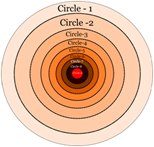
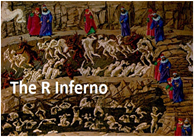
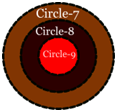
The author of “R Inferno”, Patrick Burns, starts off by saying, “If you are using R and you think you’re in hell, this is a map for you”. Well, this fantastic book needs to be read by any R programmer, irrespective of whether he thinks he is in hell or not. The metaphor used in this book is that of journey through concentric circles, each circle representing people (programmers) who are suffering in pain because of “violating the proper programming conduct”. Using this metaphor, the author makes an amazing list of items that one need to keep in mind while programming in R. There is a good discussion on each of the items too. My intent of this post is to merely list down the main points of this book.
 Circle – 1: Falling into the Floating Point Trap
- Be careful with floating point representation of numbers. There will always be numerical errors which are very different between logical errors
 Circle – 2: Growing Objects
Preallocate objects as much as possible
Try to get an upper bound of the vector you will need and allocate the vector before you run any loop. Limit the number of times rbind is used in a loop
If you do not know how many elements will get added in each loop, populate the data for each iteration in to a list and then collapse the list in to a data frame
R does all the computation in RAM. It means quicker computation but it means that if you are not careful it will eat up all your RAM
Error: cannot allocate vector of size 79.8 Mb. This should not be interpreted as “Well, I have X GB of memory and why can’t R allocated 80 MB”. The fact is that R has already allocated the memory efficiently and it has reached a point where it cannot allocate more memory
To check the memory that is being used up, generously scatter the code
cat(‘point 1 mem’, memory.size(), memory.size(max=TRUE), ’nn’)
memory.size() and memory.limit() gives an account of memory used up and memory that can is still left that can be used
 Circle – 3 : Failing to Vectorize
Write functions / code which inherently handles vectorized input
Vectorization does not mean treating collection of arguments as a vector.
min, max, range, sum, and prod take the collection of arguments as the vector. Mean does not adhere to this form mean(1,2,3,4) gives 1 as output whereas min(c(1,2,3,4)) gives the right answer as 2.5
Vectorize to have clarity in the code construction.
Subscripting can be used as a vectorization tool
Use ifelse instead of if to help vectorize your code; vector is not a welcome input in if condition.
Use apply/tapply/lapply/sapply/mapply/rapply etc have inbuilt vectorized functions instead of writing loops
 Circle – 4 : Over Vectorizing
apply function has a for loop inside. lapply function has a for loop inside. Hence mindless application of these functions is skirting with danger
If you really want to change NAs to 0, you should rethink what you are doing – you are introducing fictional data
 Circle – 5: Not Writing Functions
The body of a function needs to be a single expression. Curly brackets convert a bunch of expressions in to single expression
Functions can be passed as argument to other functions.
do.call allows you to provide the arguments as an actual list
Don’t use a list when atomic vector will do
Don’t use a data frame when matrix will do
Don’t try to use an atomic vector when list is needed
Don’t use a matrix when data frame is needed
Put spaces between operators and indent the code
Avoid superfluous semicolons that you would have been carrying from the old programming languages
Rprof can be used to explore which functions are taking most of the time
Write a help file for each of your persistent functions.
Writing a help file is an excellent way of debugging the function.
Add examples while writing a help file and try to use data from the inbuilt datasets package
 Circle – 6 : Doing Global Assignments
Avoid Global assignments ( «- ). The code is extremely inflexible when global assignments are used.
R always passes through value. It never passes by reference.
 Circle – 7 : Tripping over Object Orientation
S3 methods make the “class” attribute. Only if an object has “class” attribute, do S3 methods really come to an effect.
If Generic functions take S3 class as an argument, it searches the S3 class with the function which matches the name of the generic function and executes it
getS3method(“median”,”default”)
Inheritance should be based on similarity of the structure of the objects , not based on similarity of concepts. Dataframe and matrix might look similar conceptually, but they are completely different as far as code reuse is concerned. Hence inheritance is useless between matrix and dataframe
There is multiple dispatch in S4 objects
UseMethods creates an S3 generic function
standardGeneric creates S4 function. More strict guidelines for S4 class object
In S3 the decision of what method to use is made in real-time when the function is called. In S4 the decision is made when the code is loaded into the R session. There is a table that charts the relationships of all the classes.
Namespaces : If you have two functions with the same name in two different packages, namespace allows you to pick the right function.
A namespace exports one or more objects so that they are visible, but may have some objects that are private.
 Circle – 8 : Believing it does as intended
In this circle there are ghosts, chimeras and devils that inflict the maximum pain
 Ghosts
browser(), recover(), trace(), debug() are THE most important functions in R debuggin
always use prebuilt nullcheck functions such as is.null ,is.na
objects have one of the following as atomic stogarge modes:logical, integer, numeric, complex, character
== operator and %in% operator – Their importance and relevance
Sum(numeric(0)) is 1 and prod(numeric(0)) is 1
There is no median method that can be applied to data frame.
match only matches first occurrence
cat prints the contents of the vector . while using cat you must always add a newline as by default it doesn’t have one.
cat interprets the string whereas print doesn’t
All coercion functions strip the attributes from the object
Subscripting almost always strips almost all attributes
Extremely good practice to use TRUE and FALSE rather than T and
sort.list does not work for lists
attach and load put R objects on to the search list. Attach creates a new item in the search list while load puts its content in the global environment, the first place in the search list. source is meant to create objects rather than loading actual objects
If you have a character string that contains the name of an object and you want the object, then one uses get function
If you want the name of the argument of the function, you can use deparse(substitute(arg_name))
If a subscript operation is used on an array , it becomes a vector not a matrix. If you use drop=FALSE , the attribute is kind of preserved
Failing to use drop=FALSE inside functions is a major source of bugs.
The drop function has no effect on a data frame. Always use drop=FALSE in the subscripting function
rownames of a data frame are lost through dropping. Coercing to a matrix first will retain the row names.
If you use apply with a function that returns a vector, that becomes the first dimension of the result. I came across this umpteen number of times in my code and I just used to have the result transposed.
sweep function is a very useful function that is not emphasized much in the general r literature floating around
guidelines for list subscripting
single brackets always give you back the same type of object
double brackets need not give you the same type of object
double brackets always give you one item
sungle brackets can give you any number of items
c function works with lists also
for(i in 1:10) i does not print anything . The problem is that no real action is involved in the loop. You must use instead print(i)
use of seq_along or seq(along=x) is always better
iterate is sacrosanct. Never knew about this earlier. This statement means that if you have a for loop with index on i and then you change the value of i in the loop, it does not effect the global counter of the loop
R uses dynamic scoping rather than lexical scoping
 Chimeras
factor : Factors are an implementation of the idea of categorical data, Class attribute is “factor” , “levels” attribute has a character vector that provides the identity of each category
factors do not refer to numbers. as.numeric() typically gives numbers that has nothing to do the factors
subscripting does not change the levels of the factor . Use drop=TRUE to drop the levels that are not present in the data.
Do not subscript with factors
There is no c for factors
Missing values makes sense in factors and hence there can be level NA for a factor
If you want to convert data frame to character, it is better to convert to a matrix and then convert to a character
X[condition,] <- 999 Vs X[which(condition),] <- 999. What’s the difference ? The latter treats NA as false while the former doesn’t
There is a difference between && , &. Similarly || , |. The latter is used in vector comparisons and former is used for a single element. Use & | in ifelse condition and && || in if condition.
An integer vector tests TRUE with is.numeric. However as.numeric() changes the storage mode to double
Be careful to know the difference between max and pmax
all.equal and is.identical are two different functions altogether.
= is not a synonym of <-
Sample has helpful feature that is not always helpful. Its first argument can be either the population of items to sample from, or the number of items in the population.
apply function coerces a dataframe in to matrix before the application. Its better to use lappy instead of apply to keep the attributes of dataframe intact.
If you think something is a data.frame or a matrix, it is better to use x[,”columnname”]
names of a dataframe are the column names while names of a matrix are the names of the individual elements
cbind with two vectors gives a matrix , meaning, cbind favors matrices over data.frames
data.frame is implemented as a list. But not just any list will do – each component must represent the same number of rows.
 Devils
read.table creates a data.frame
colClasses to control the type of input columns that are imported
use strip.white to remove extraneous spaces while importing files
scan and readLines function to read files with irregular data format
Instead of storing data in a file, retrieving the file back to R , it is better to save the object and attach/load the object as and when required
Function given to outer must be vectorized
match.call can be used to access … in the argument of the function
R uses lazy evaluation. Arguments to functions are not evaluated until they are required
The default value of an argument to a function is evaluated inside the function, not in the environment calling the function
tapply returns one dimensional array which is neither a vector nor a matrix
by is a pretty version of tapply
When R coerces from a floating point number to an integer, it truncates rather than rounds
Reserved words in R are if , else , repeat , while , function , for , in , next , break , TRUE , FALSE ,NULL , Inf, NaN, NA, NA_integer, NA_real, NA_complex, NA_character
return is a function and not a reserved word
Before running a batch job, it is better to run parse on the code and check for any errors.
 Circle – 9 : Unhelpfully seeking help
This circle gives some guidelines in the context of posting queries in various R help forums.
 Takeaway:
This is my favorite book on R. Any R programmer at whatever level of expertise he/she is at, journey through these circles, would certainly make them a better programmer, and their present / future pain of debugging their R code less traumatic.